Before you start
- Open your order page in another tab so you can check each fix as a customer would.
Step by step
-
A customer can't pick the date they want
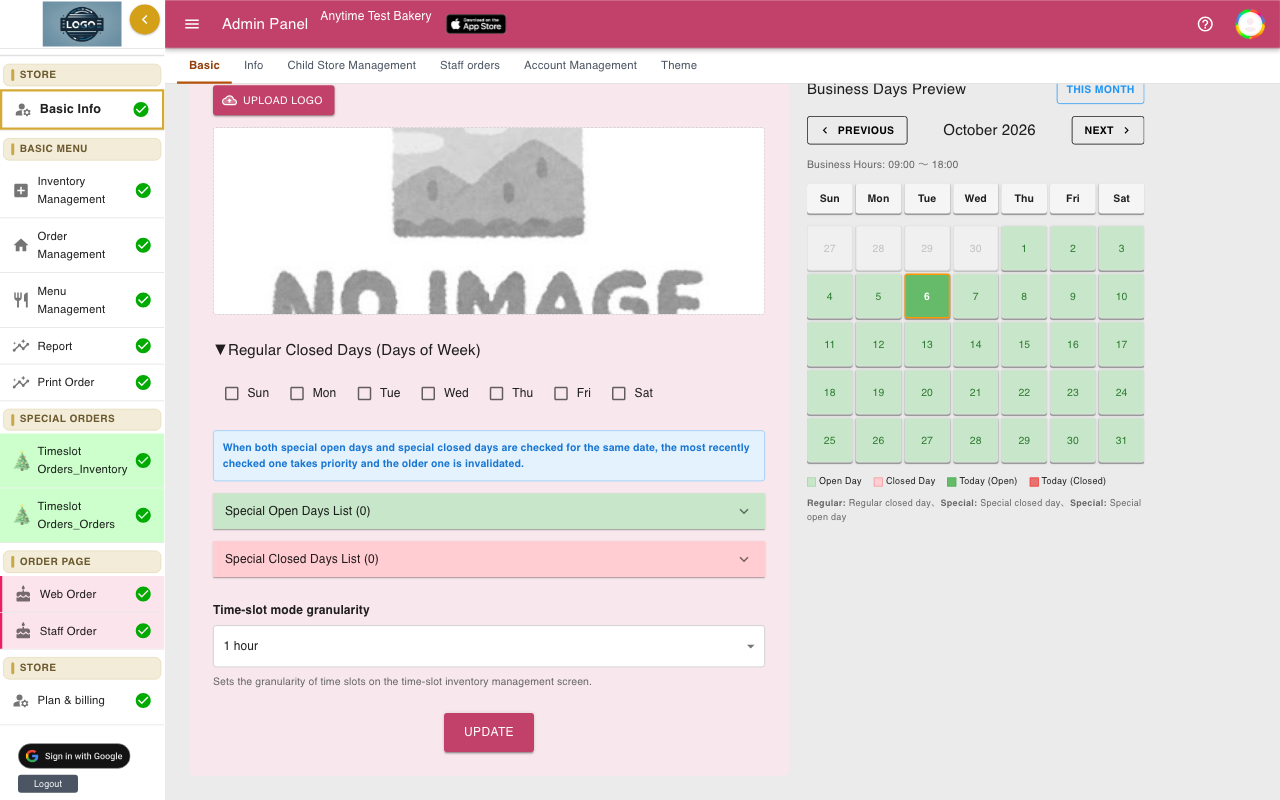
Check four things. Is the day ticked under Regular Closed Days or in Special Closed Days List (Business hours)? Is it sooner than the Earliest pickup days of a product in their cart? Is it later than Maximum bookable days?
If all three are fine, the day may be full: check Inventory Management. Click Update after any change.
-
Same-day pickup isn't offered
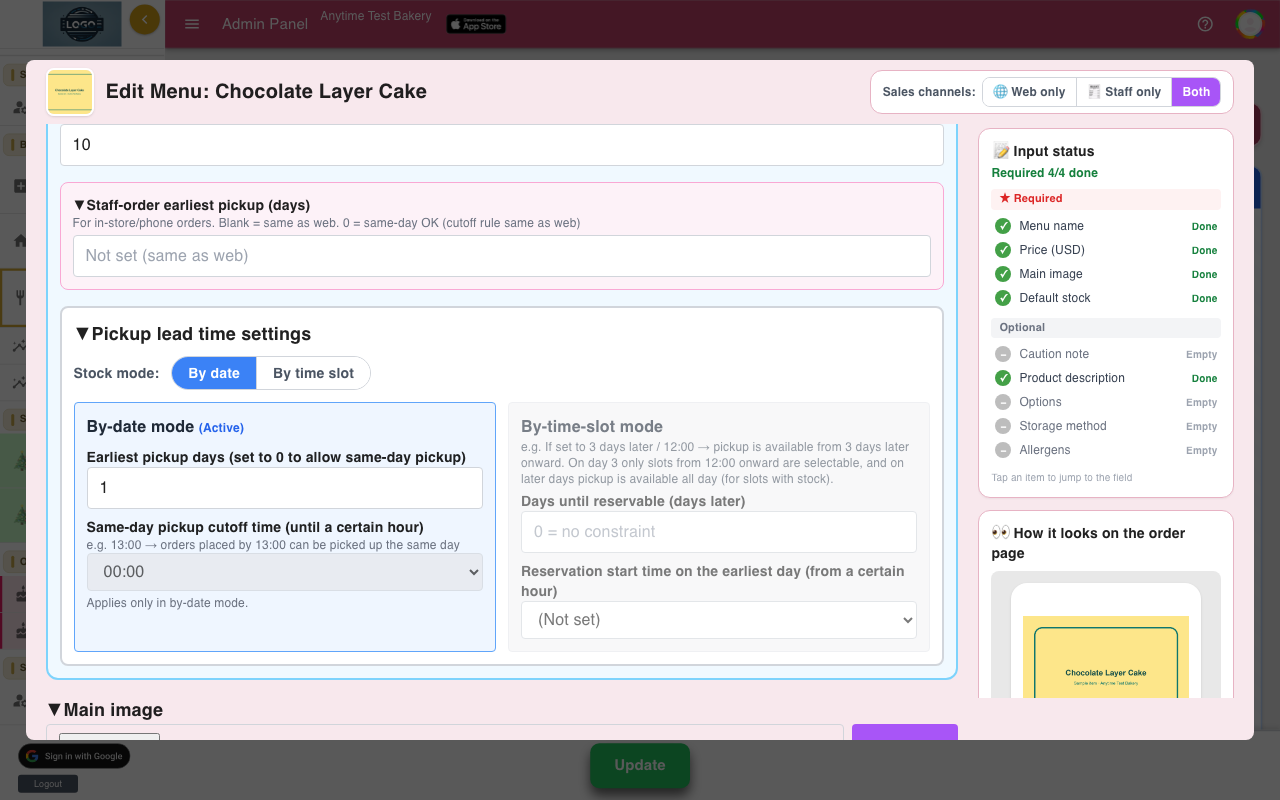
Open the product and check that Earliest pickup days is 0 and that a Same-day pickup cutoff time is chosen. Without a cut-off time, same-day pickup is never offered.
After the cut-off time each day, the earliest date moves to tomorrow.
-
A product isn't showing on my order page
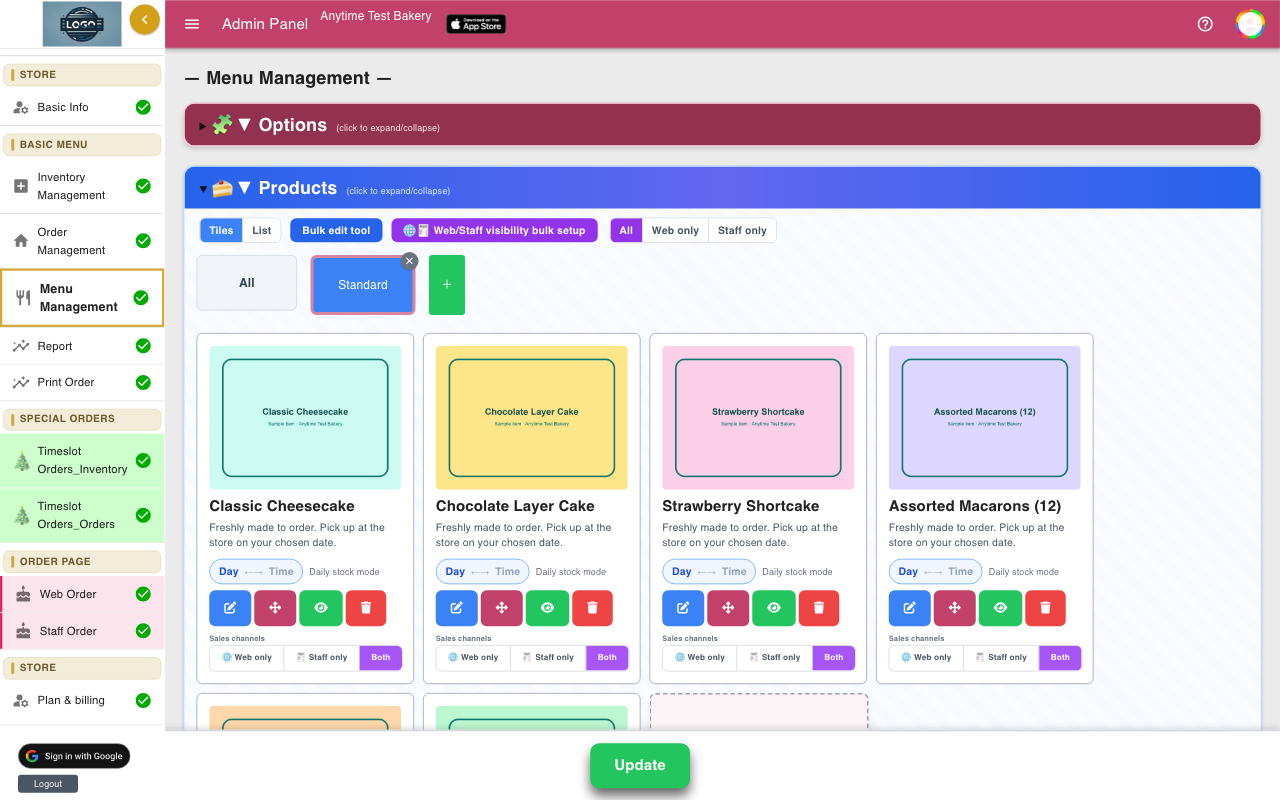
In Menu Management, check the product's eye button shows Published, and that Sales channels is Web only or Both, not Staff only.
Then make sure you clicked Update at the bottom of the page. Reload your order page to check.
-
A time-slot product says "No pickup slots"
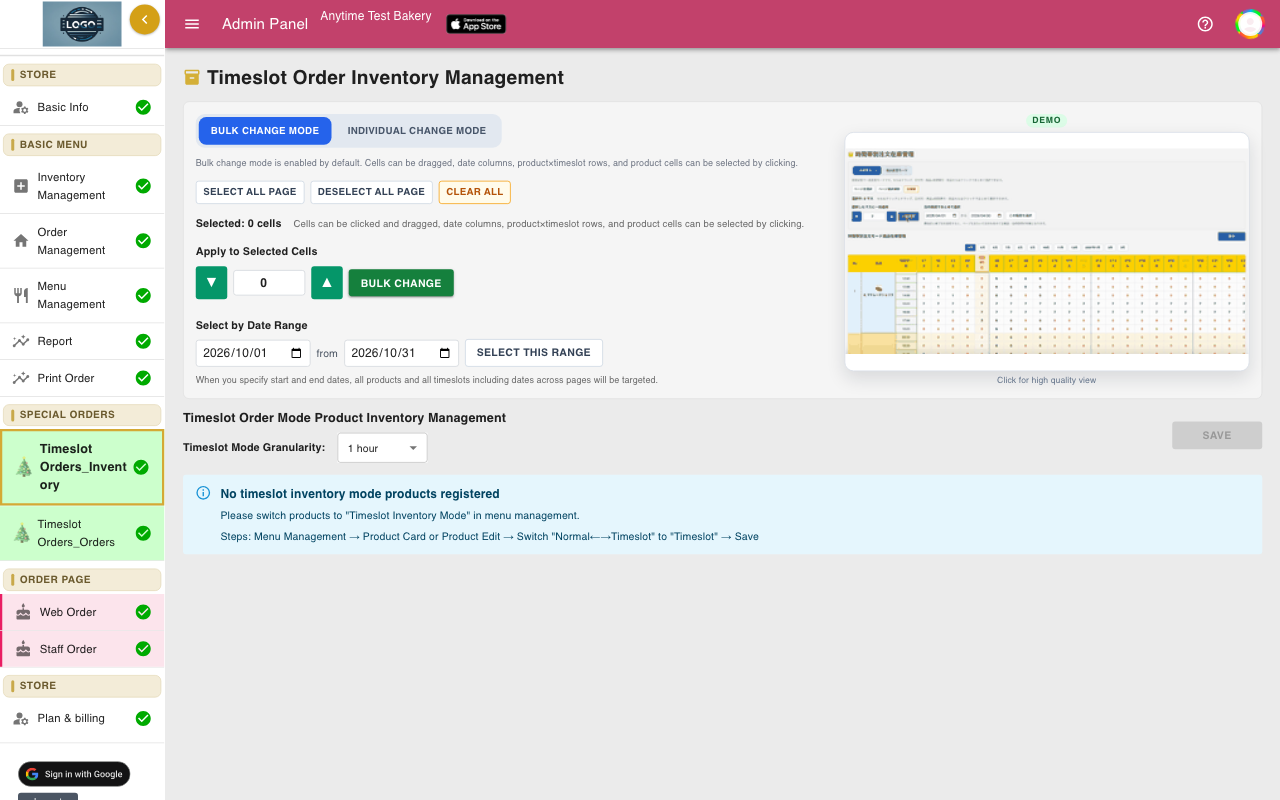
Its slots are still at 0. Open Timeslot Orders_Inventory, select the slots, enter a number, click Bulk Change, then Save. See Pickup time slots.
-
A customer says stock is insufficient
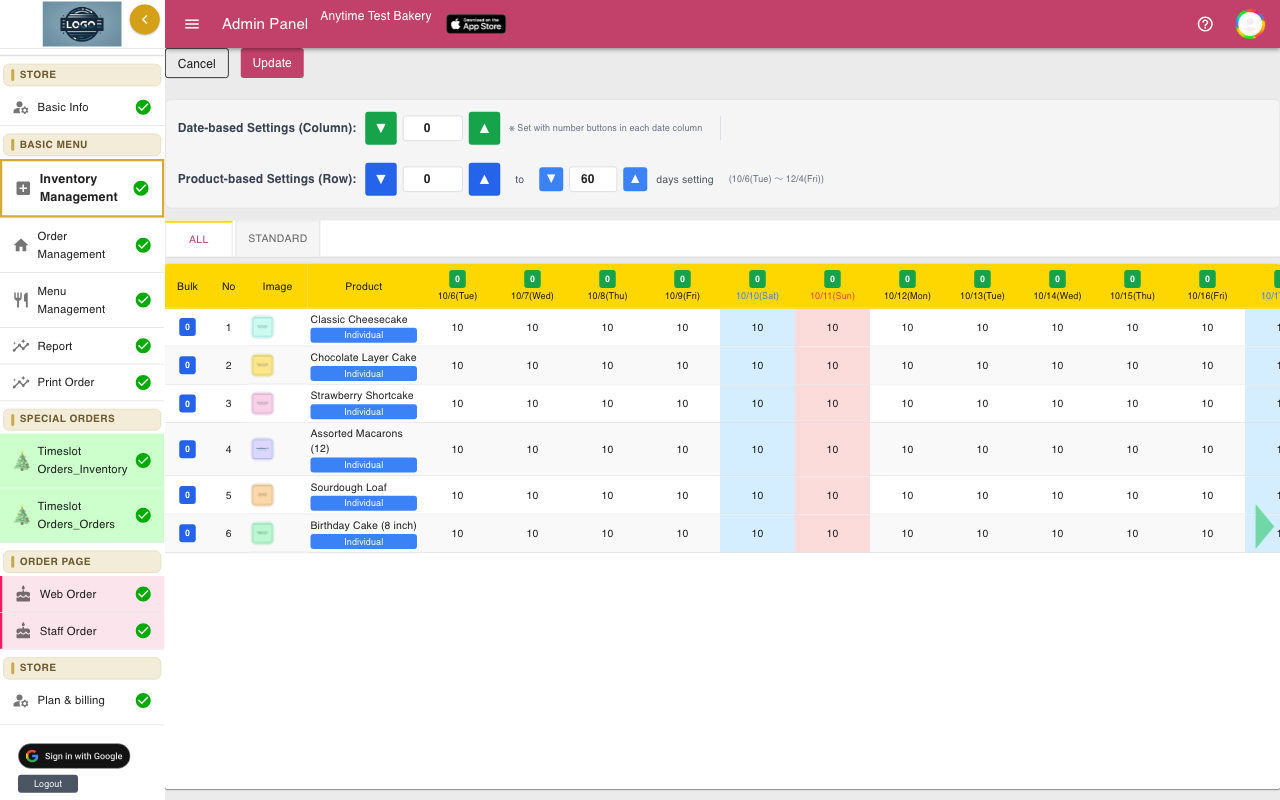
That product is full on that day. If you can make more, raise the number for that day in Inventory Management and click Update, then ask the customer to try again.
Or turn on Unlimited Stock Orders in Basic Info if you don't want limits at all.
-
An order email didn't arrive
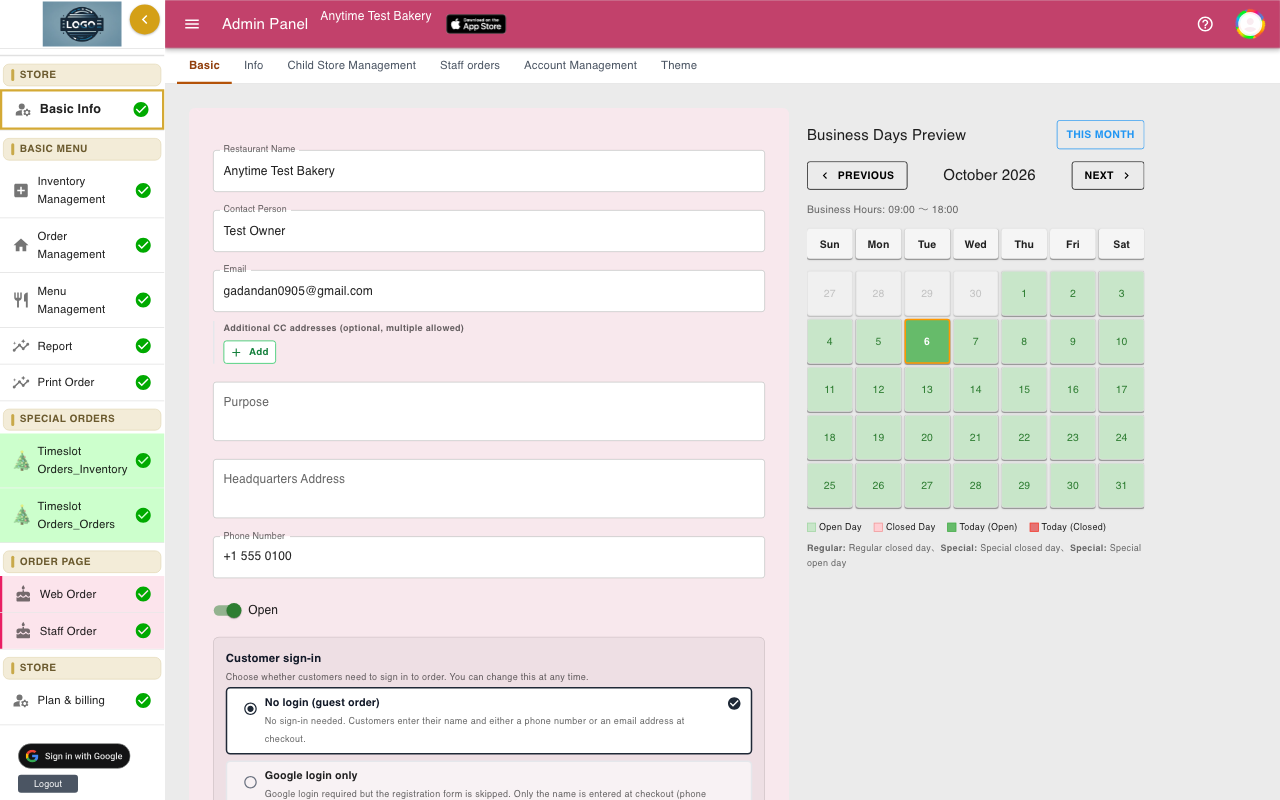
Check your spam folder first. Then check the Email and Additional CC addresses in Basic Info. Copies go only to addresses you saved with Update.
The order is always in Order Management, even if an email is missing.
-
Changing prices
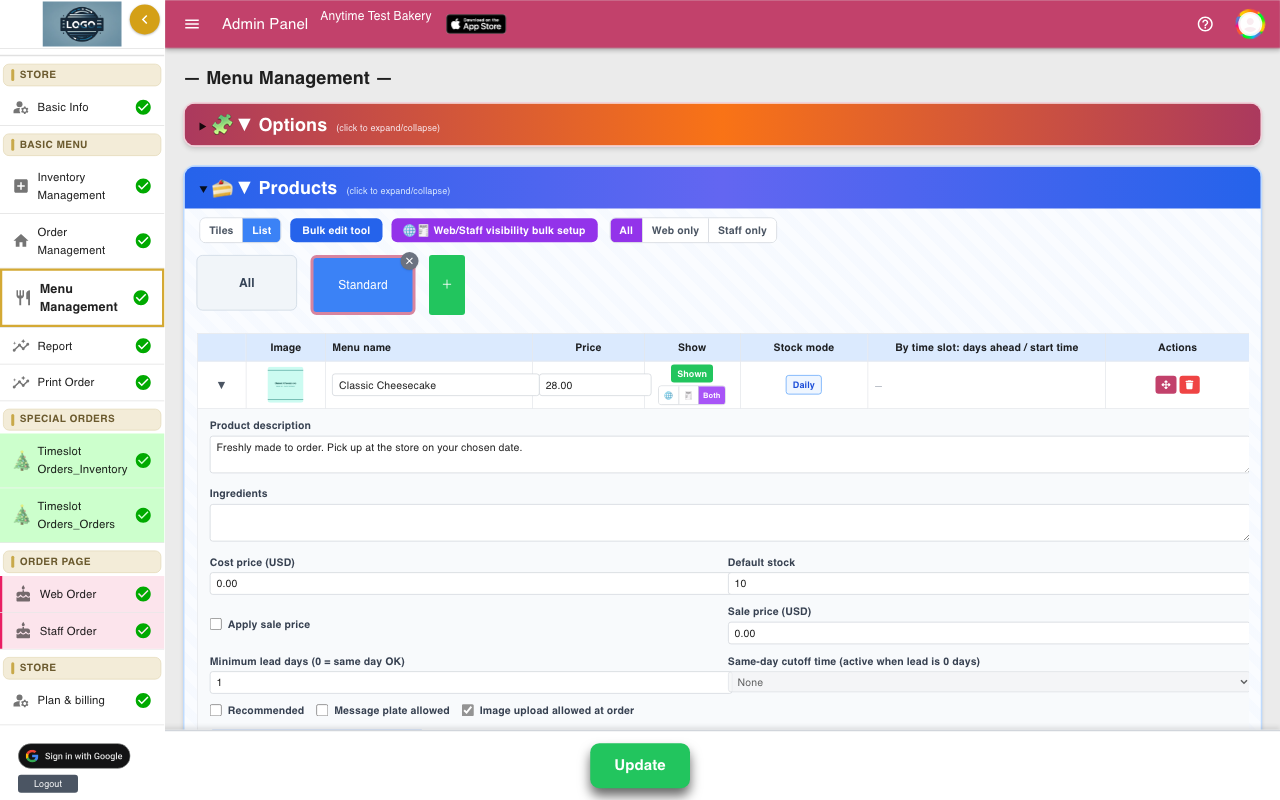
Open the product in Menu Management, change Price (USD), click Save, then Update. For many products at once, use List view.
New prices apply to new orders only. Orders already placed keep the price they were placed at.
-
My order page says it isn't accepting orders
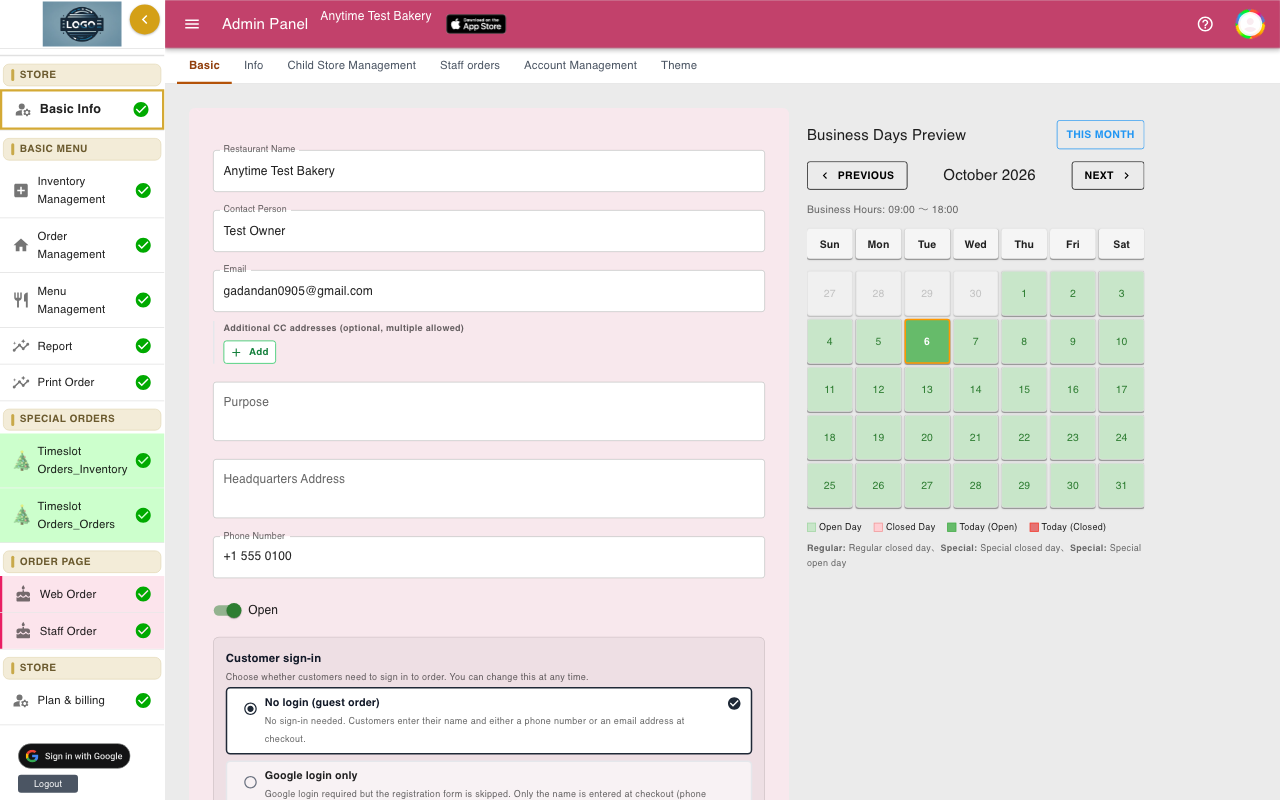
If it says This shop is not accepting online orders at the moment., the Open switch in Basic Info is off. Turn it on and click Update.
If it says This store is not accepting orders right now, your plan has ended or a payment failed. Open Plan & billing.
-
A team member can't change anything
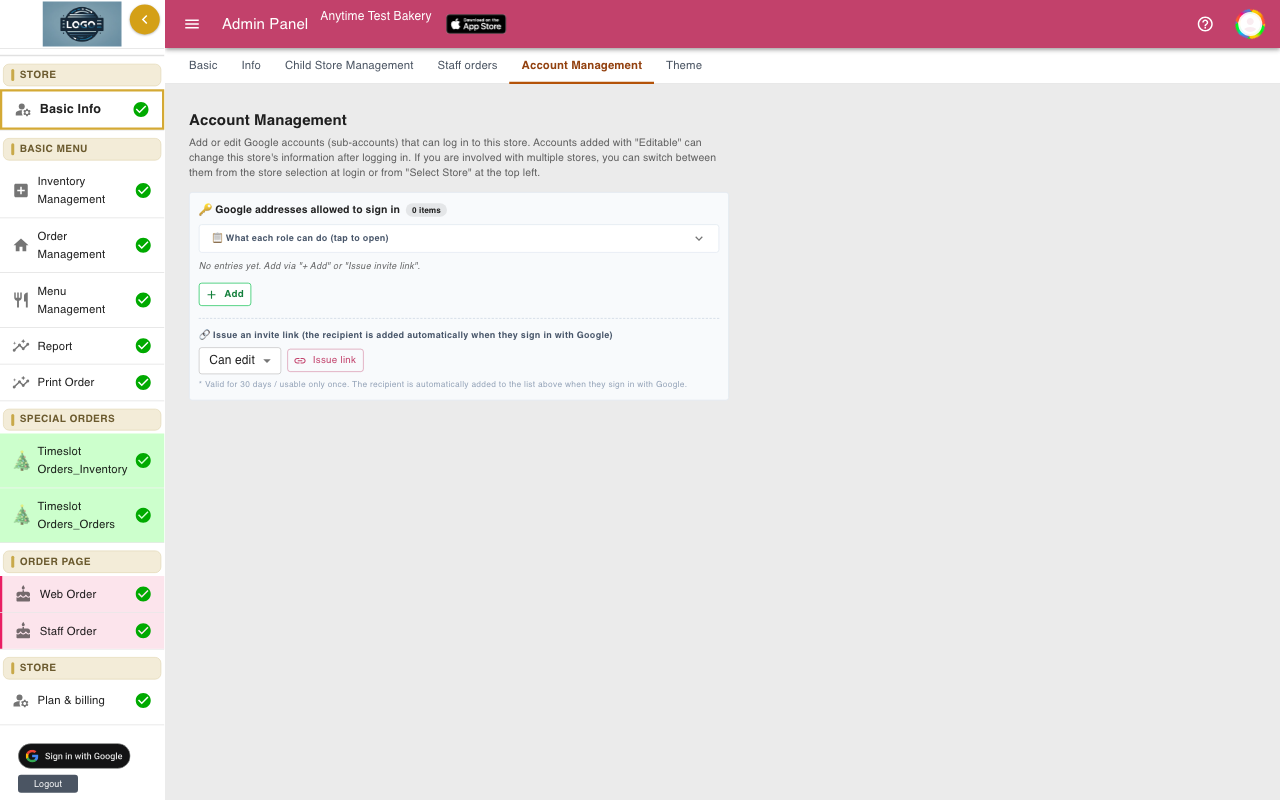
Their role is probably View only. The owner or an Admin can change it in Basic Info, on the Account Management tab.
Tips
- When something looks wrong, first make sure you clicked Update, then reload the page.
- Still stuck? Email support-global@cakesystem.net with your shop name and a screenshot.
Questions
Can I undo a deleted order?
No. Deleted orders cannot be restored. Enter it again on Staff Order if you deleted it by mistake.
Can I export my orders?
Yes. Use Download as CSV on Print Order, or CSV Download on Report.
Why do I have to click Update so often?
Settings and menu pages let you make several changes and save them together. Until you click Update, nothing is changed for customers.
Can I change my shop's order page address?
No. The address is fixed to your shop ID, so links you have shared keep working.
Related guides
Still stuck? Email us at support-global@cakesystem.net.