Before you start
- Only the shop owner (the Google account that created the shop) can manage billing.
- A credit or debit card.
Step by step
-
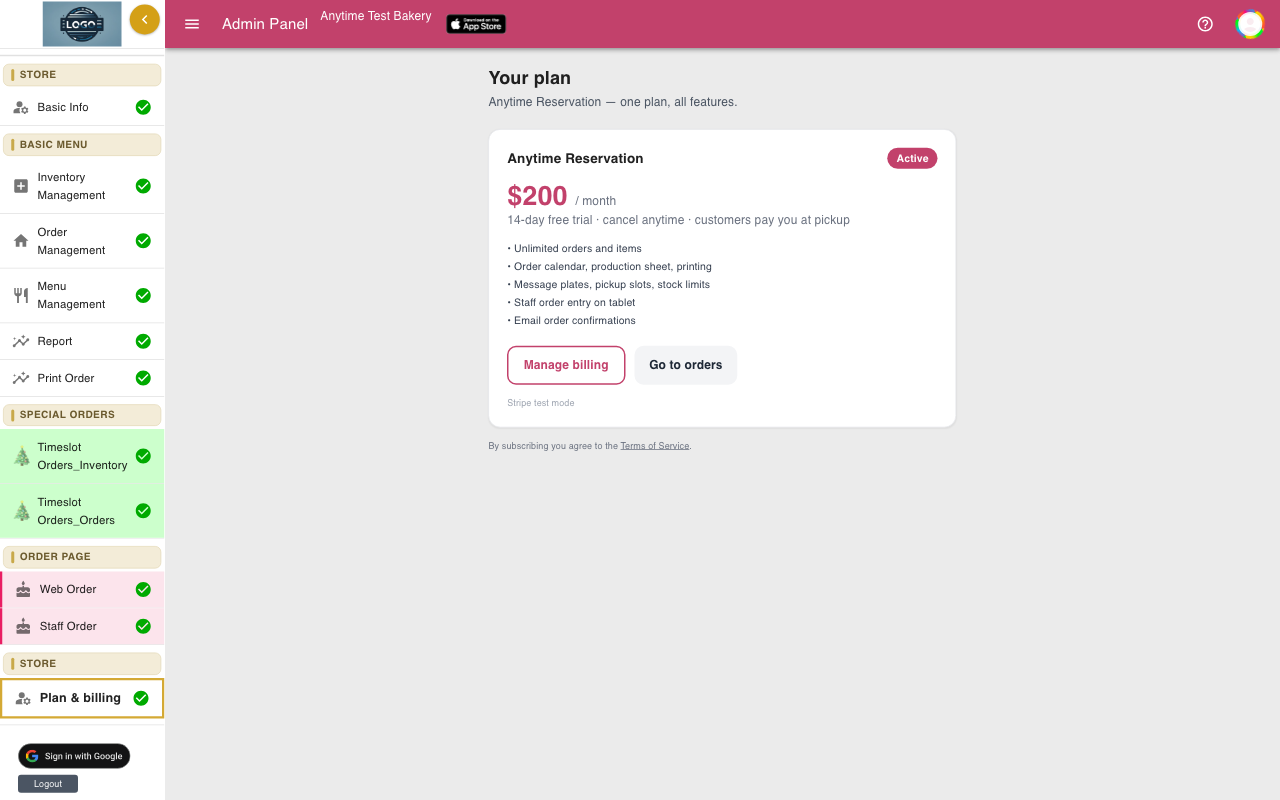
Open Plan & billing
Click Plan & billing at the bottom of the left menu. You see your plan, its status (for example Free trial or Active) and the price: $200 / month, with all features included and no per-order fees.
-
Start your free trial
Click Start 14-day free trial. A secure Stripe page opens where you enter your card. When you come back you will see Your free trial has started. Welcome aboard!
-
Know when the trial ends
During the trial the page shows the end date and reminds you that your card will be charged $200 on that date unless you cancel. We also email you 3 days before the trial ends.
After that, the page shows your Next renewal date.
-
Update your card or cancel
Click Manage billing to open Stripe's billing page, where you can change your card, see invoices, or cancel. If you cancel, your plan stays active until the end of the current period.
-
If a payment fails
If a renewal payment fails, Plan & billing shows Payment failed and asks you to update your card. Everything keeps working for 7 days. Update your card in Manage billing before then.
-
If your subscription ends
When the subscription has ended, the admin console only opens Plan & billing, your order page shows This store is not accepting orders right now, and Staff Order is locked.
Click Subscribe to come back. Your products, settings and orders are still there.
Tips
- The payment warning only shows on Plan & billing. Check the page if your card has expired recently.
Questions
Are there setup fees or per-order fees?
No. It is one monthly price with unlimited orders and products.
Do you take a cut of my sales?
No. Customers pay you directly at pickup, so their payments never go through us.
Can I cancel during the trial?
Yes. Cancel in Manage billing before the trial ends and you will not be charged.
Can I use a promotion code?
Yes. Enter it on the Stripe page when you start your trial or subscribe.
Related guides
Still stuck? Email us at support-global@cakesystem.net.